
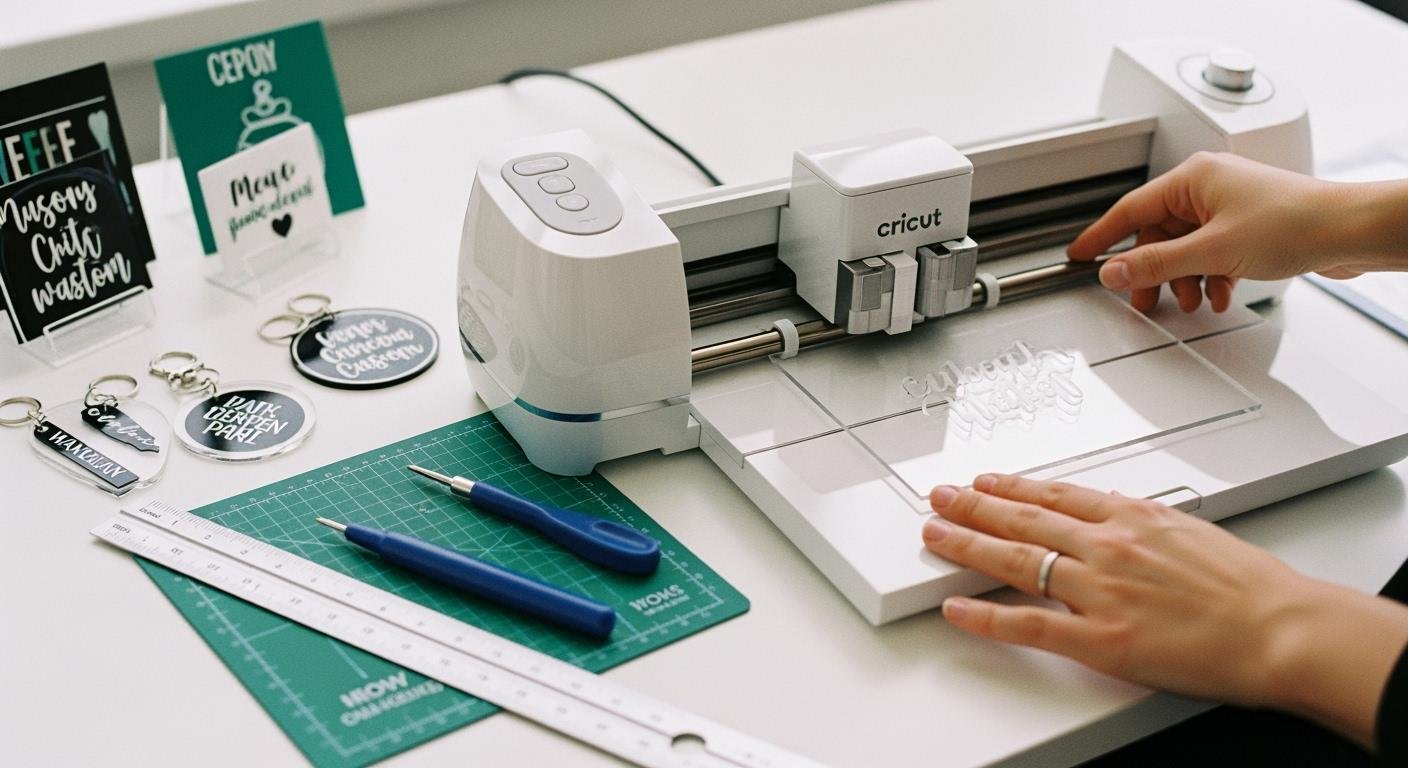
Wondering if cricut do acrylic? You can cut thin acrylic sheets, but only with the cricut maker. The maximum thickness you should use is 2.4 mm. You need the right blade and a strong grip mat to get the best results. Always wear safety glasses and work in a clean area. Try out new designs and have fun while staying safe!
Tip: Double-check your acrylic thickness before you start. Thicker sheets need a different cutting tool.
Can Cricut Do Acrylic?
If you want to cut acrylic sheets for your next project, you probably wonder if your Cricut can handle the job. Let’s break down what you need to know before you start.
Compatible Cricut Models
You can only cut acrylic with the Cricut Maker. Other Cricut models, like the Explore Air 2, don’t have enough cutting power or blade options for acrylic sheets. The Cricut Maker stands out because it works with more blades and stronger tools. Here’s a quick look at how the models compare:
| Cricut Model | Number of Compatible Blades |
|---|---|
| Cricut Maker | 11 |
| Cricut Explore Air 2 | 3 |
The Cricut Maker uses the Knife Blade, which is the best choice for cutting acrylic. You get more flexibility and can tackle tougher materials. If you try to use other models, you’ll find they only work with basic blades like the fine-point or deep-point blade. These blades can’t cut acrylic sheets.
Tip: Always check your machine’s blade compatibility before you try to cut acrylic.
Types Of Acrylic You Can Use
You need to pick the right types of acrylic for your Cricut Maker. Thin acrylic sheets work best. Most crafters use clear or colored acrylic, but you can also find frosted or mirrored options. The important thing is to make sure the acrylic is not too thick. If you use the wrong type, you might damage your machine or get poor results.
Here are some popular types of acrylic you can use:
- Clear acrylic sheets
- Colored acrylic sheets
You should avoid textured or extra-hard acrylic. These can cause problems for your blade and mat. Always choose sheets that are smooth and flat.
Thickness Limits And Limitations
The Cricut Maker can cut acrylic sheets up to 2.4 mm thick. If you try to cut acrylic thicker than this, you risk damaging your machine and the cutting mat. The blade can get stuck, and the cutting process might stop suddenly. Sometimes, the machine can handle slightly thicker sheets because the material compresses, but you should not push the limits.
Here’s what can happen if you use thick acrylic:
- The cutting mat can get ruined.
- The blade may jam or break.
- The machine could stop working during the cut.
If you want to cut acrylic thicker than 2.4 mm, you need a laser cutter. The Cricut Maker is not designed for heavy-duty acrylic. You should always follow the guidelines for thickness to keep your machine safe.
Many users ask questions like:
- What type of acrylic can I use with my Cricut Maker?
- How thick can the acrylic be for cutting?
- What blade should I use for cutting acrylic with the Cricut Maker?
- How do I prepare acrylic for cutting?
- Can I engrave acrylic before cutting it?
You should use the Knife Blade for the Cricut Maker. Always do a test cut and use a strong grip mat to keep the acrylic in place. If you follow these steps, you’ll get clean cuts and avoid problems.
Note: If you want to engrave acrylic, you can do that before cutting. Just make sure you use the right settings and tools.
If you want to try cricut do acrylic, remember these tips. You can cut acrylic sheets with your Cricut Maker, but you need to use thin sheets and the right blade. Stay safe, and enjoy your creative projects!
Tools And Supplies For Cutting Acrylic
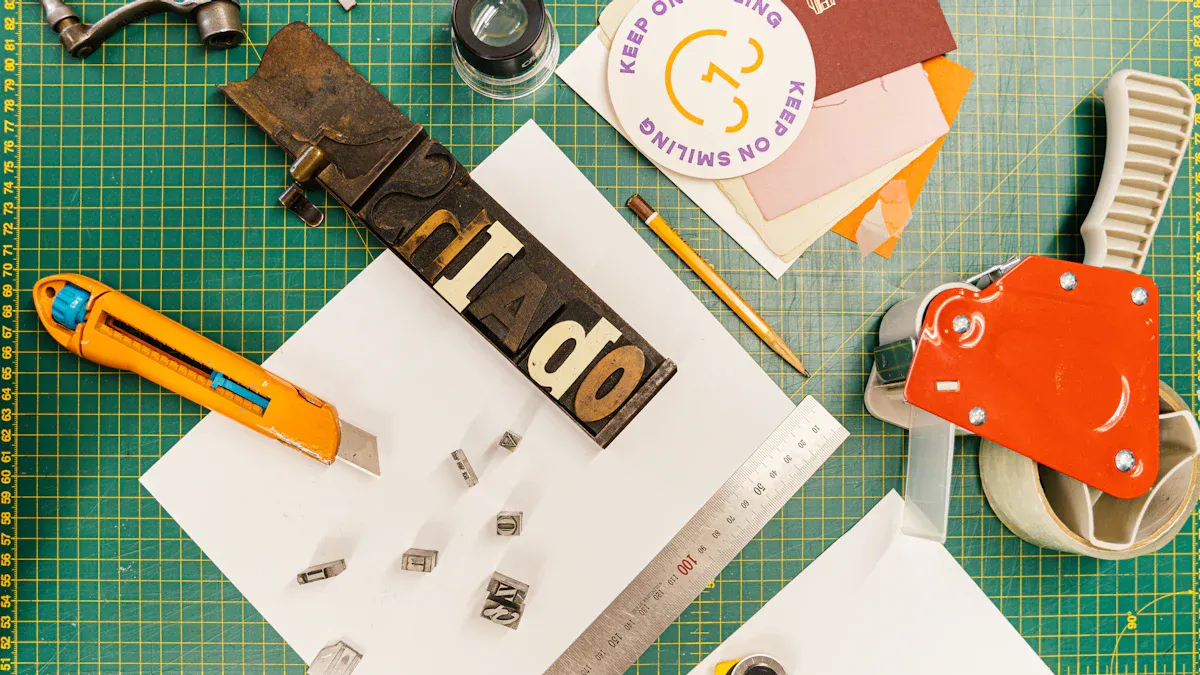
When you want to cut acrylic sheets with your cricut maker, you need the right tools and a safe workspace. Let’s break down what you’ll need and how to set up for success.
Knife Blade And Mats
You need a cricut maker for cutting acrylic. The knife blade is your best choice for this job. It’s strong enough to handle thin acrylic sheets. You also need a strong grip mat to keep your material steady while you cut acrylic. Here’s a quick list of helpful tools you might use:
- Knife Blade
- Premium Fine-Point Blade + Housing
- Deep-Point Blade
- Engraving Tip
- Debossing Tip
- Perforation Blade
- Foil Transfer Tool
- Scoring Stylus
- Rotary Blade
- Wavy Blade
- Scoring Wheels (Single & Double)
- Pens & Markers
The knife blade works best for cutting acrylic sheets. If you use your blade often, expect it to last about three to six months. The lifespan depends on how much you use it and what materials you cut.
Choosing The Right Acrylic Sheets
Picking the right acrylic sheets makes a big difference. You want sheets made for cricut maker projects. These come in different sizes and thicknesses. Thin sheets work best when you cut acrylic. You can find clear, colored, frosted, or mirrored acrylic sheets. Many crafters use them for custom signs, keychains, or jewelry.
- Acrylic sheets designed for cricut machines
- Available in many sizes and thicknesses
- Great for creative projects like signage and jewelry
Tip: Always check the thickness before you start cutting acrylic. Thin sheets give you better results and protect your machine.
Workspace And Safety Tips
Setting up your workspace helps you stay safe while cutting acrylic sheets. Follow these steps for a smooth experience:
- Use laser safe acrylic sheets. Check the label before you buy.
- Vent your area well. Make sure air flows freely.
- Stay close to your cricut maker while it runs.
- Keep your workspace clean. Remove clutter to avoid accidents.
- Keep a fire extinguisher and spray bottle nearby.
- Wear protective eyewear to shield your eyes.
Safety first! A clean and organized space helps you focus on your project and keeps you safe.
If you compare costs, using a cricut maker for acrylic crafting is much cheaper than buying a laser cutter. Here’s a quick look:
| Method | Cost Range |
|---|---|
| Cricut Maker | Under $500 |
| Laser Cutter | $2,000 – $3,000 |
With the right tools and setup, you can cut acrylic sheets safely and create amazing projects.
Cutting Acrylic With Cricut Maker
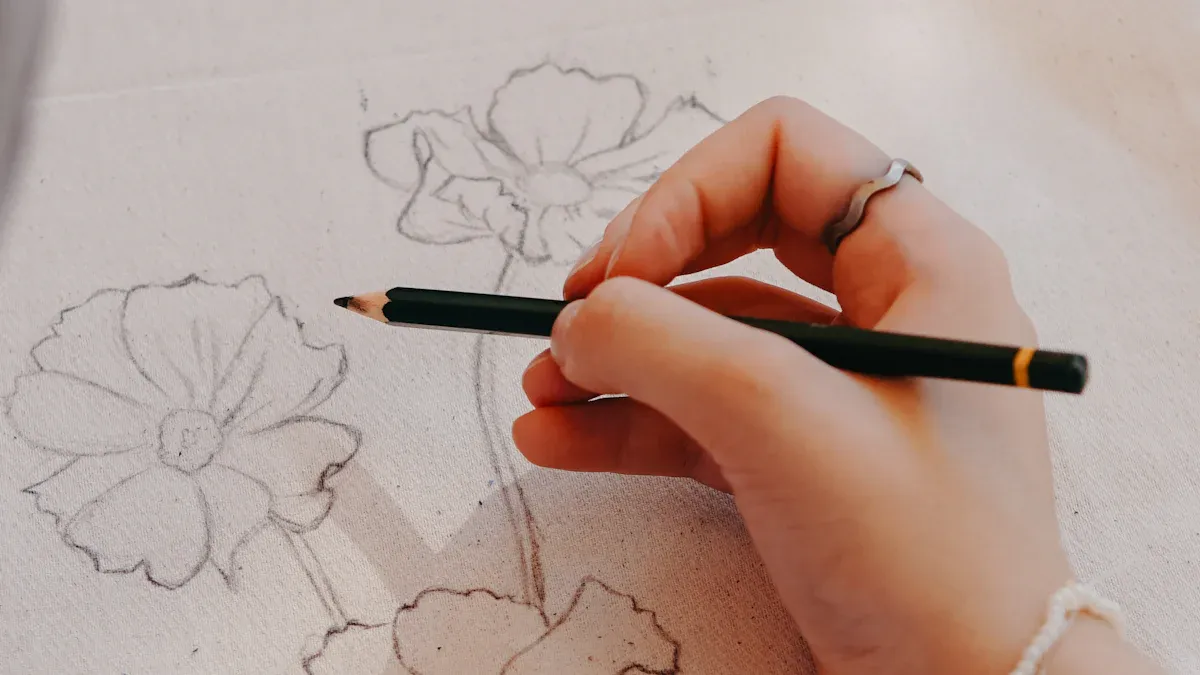
Preparing Your Design
You want your project to look great, so start by getting your design ready in Cricut Design Space. If you plan to make a keychain or a tag, you can follow these steps:
- Make a circle and resize it to 3 inches.
- Create a smaller circle, about .25 inches, for the hole.
- Place the small circle on top of the big one where you want the hole.
- Select both circles and align them horizontally.
- Use the slice tool to cut the hole out.
- Remove the extra circles.
- Duplicate your large circle twice and change their colors to help you tell apart acrylic and vinyl layers.
- Add images, shapes, or text. Weld letters together if needed.
- Resize everything to fit your acrylic shape.
- Click “Make it” when you’re ready.
Tip: Always double-check your design size before you cut acrylic. This helps you avoid wasting material.
Setting Up And Cutting
Now you’re ready to start cutting acrylic with your Cricut Maker. Place your acrylic sheet on a strong grip mat. Make sure it sticks well so it doesn’t move. Choose the basswood setting in Design Space. This setting works best for cutting acrylic sheets up to 2.4 mm thick.
- Use the knife blade for the best results.
- Make several passes if needed. Sometimes you can gently punch out the shape if it doesn’t cut all the way through.
- Stay close to your Cricut Maker while it works. Watch for any jams or issues.
Note: If you see the blade getting stuck, stop the machine and check your acrylic thickness.
Removing And Finishing Pieces
Once you finish cutting acrylic, gently lift your piece off the mat. If you plan to decorate, weed your vinyl designs and get them ready. Use a transfer sheet to place vinyl on your acrylic. Line everything up before pressing down.
If you want a glossy finish, mix epoxy according to the instructions. Place your acrylic on cardstock and add epoxy in the center. Let it spread out and self-level. Blow away any bubbles with a straw. Let your project cure for at least 24 hours.
After you finish, clean your Cricut Maker. Turn it off and unplug it. Remove the blade and use canned air to blow away dust. Wipe dirty spots with baby wipes and use a soft brush for tight areas.
Tip: Regular cleaning keeps your Cricut Maker working well for future cutting acrylic projects.
Tips, Troubleshooting, And Engraving Acrylic
Best Practices For Clean Cuts
You want your acrylic projects to look sharp and professional. Start with clean acrylic sheets and always check for dust or fingerprints before you cut. Use a fresh knife blade and a strong grip mat to keep your acrylic keychain blanks steady. Press down with a brayer so the blanks stick well. If you want to engrave acrylic, make sure you remove any protective film from the side you plan to engrave. This helps you get crisp lines and avoids scratches.
Tip: Always do a test cut on a small piece before you work on your main acrylic keychain blanks. This saves you time and materials.
Common Issues And Fixes
Sometimes, you might see rough edges or incomplete cuts when you engrave acrylic or cut acrylic keychain blanks. If this happens, check your blade for dullness. Replace it if needed. Make sure your mat is sticky enough. If your acrylic sheets move during cutting, add more masking tape around the edges. When you engrave acrylic, you may notice faint lines. Try running the engraving process twice for deeper marks. If your design looks off, double-check your settings in Design Space.
Note: If your Cricut stops or jams, pause the machine and gently remove the acrylic. Never force the blade through thick spots.
Engrave Acrylic With Cricut
You can engrave acrylic with your Cricut Maker and create amazing designs. Here’s a quick guide to help you get started:
| Supplies | Instructions |
|---|---|
| StrongGrip mat | Remove the protective film from one side of the acrylic blank. |
| Masking tape | Secure the blank on the mat and add masking tape around the edges. |
| Brayer | Use the brayer to ensure the blank is well adhered to the mat. |
| Cricut Maker | Open Cricut Design Space and select a design suitable for engraving. |
| Acrylic blank | Set the base material to either one-millimeter or two-millimeter thick based on the blank’s thickness. |
| Engraving Tip | Load the engraving tip in Clamp B and start the engraving process. |
| Knife blade | Optional for cutting the acrylic if needed. |
You can engrave acrylic keychain blanks, night lights, or even custom tags. Try making an engraved acrylic night light for kids with a cute animal design. When you engrave acrylic, always stay close to your machine and watch for any problems. You can engrave acrylic up to 2.4 mm thick, but thinner blanks work best for detailed designs.
Creative idea: Make a set of acrylic keychain blanks with engraved names or fun shapes. These make great gifts!
You can create amazing acrylic projects with your Cricut Maker, but you need to remember a few key limits. The machine only cuts thin acrylic sheets and works slower than a laser cutter. You might struggle with thicker materials or detailed designs. For bigger or more durable projects, laser cutters work better.
- Cricut Maker cuts up to 2 mm thick acrylic
- Slower cutting speed for intricate shapes
- Not ideal for heavy-duty home décor
Stay safe, get creative, and explore online forums or video tutorials for advanced acrylic crafting ideas! 😊
FAQ
Can I cut thick acrylic with my Cricut Maker?
No, you can’t cut thick acrylic. The Cricut Maker only handles sheets up to 2.4 mm. If you try thicker material, you might damage your machine. For thicker acrylic, use a laser cutter.
What blade should I use for acrylic?
You need the Knife Blade for cutting acrylic with your Cricut Maker. Other blades, like the Fine-Point or Deep-Point, won’t work. Always check your blade before starting.
Does Cricut Design Space have acrylic settings?
No, Cricut Design Space doesn’t have a specific acrylic setting. You can use the “Basswood” setting for thin acrylic sheets. Always do a test cut first to make sure it works for your project.
Can I engrave acrylic with my Cricut Maker?
Yes, you can engrave acrylic using the Engraving Tip. Make sure your acrylic sheet is thin and fits on the mat. Remove the protective film before engraving for the best results.
What projects can I make with acrylic on Cricut?
You can make keychains, signs, ornaments, jewelry, and night lights. Acrylic projects look professional and make great gifts. Try different shapes and colors for unique results!
See Also
Understanding Acrylic Blocks: Key Features and Uses Explained
Acrylic Risers Explained: Definitions, Characteristics, and Uses
Exploring Laser Cutting and Engraving for Acrylic Products
Impact-Modified Acrylic: Definitions, Features, and Practical Uses
Acrylic Sign Holders: Definitions, Features, and Their Applications

 Français
  English
  Русский
  Deutsch
  Español
  Português
  日本語
日本語